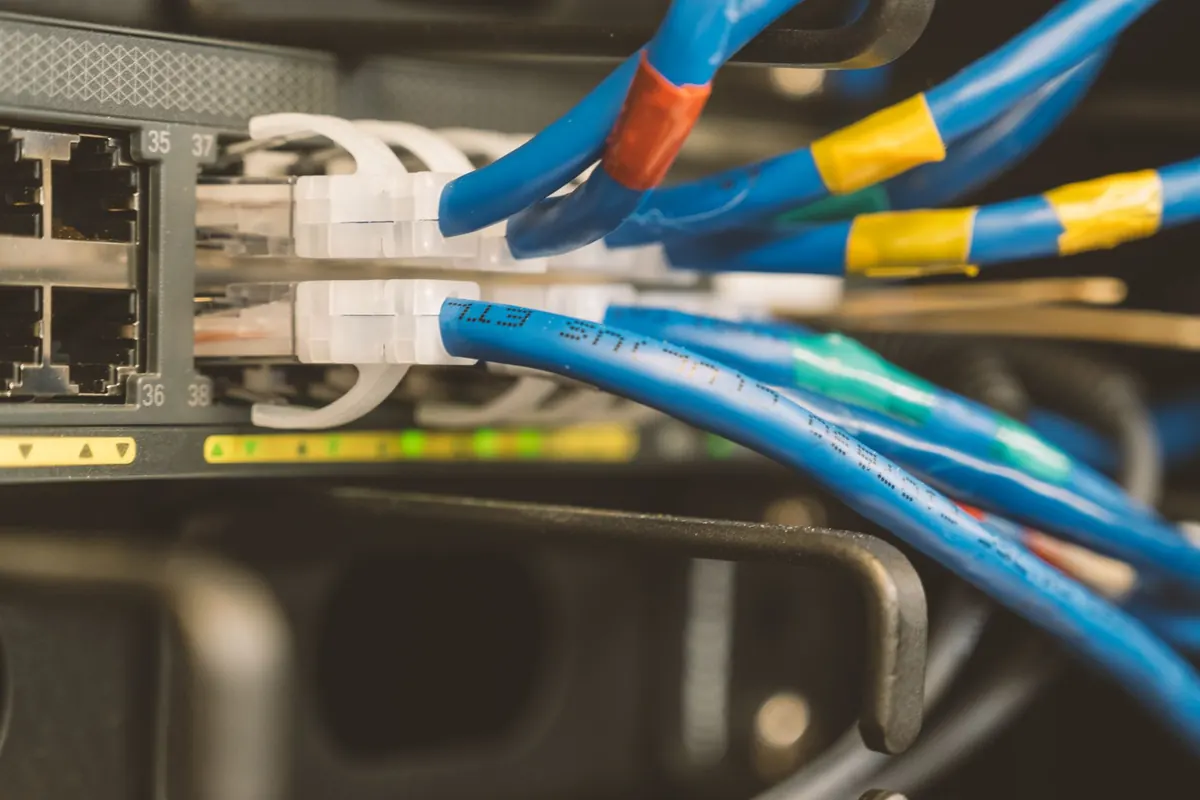
Two Ethernet cables can look identical and behave nothing alike. One carries a clean gigabit link for a decade; the other produces a port that negotiates, then drops packets whenever the office microwave kicks on. Almost every flaky link traces back to a handful of recurring mistakes. None of them are exotic, and all of them are preventable once you know what to watch for.
Choosing the Wrong Cable for the Job
The cable category sets the ceiling on what the run can do. Cat5e handles 1 Gbps to 100 meters and remains fine for most desk drops. Cat6 also does 1 Gbps to 100 meters, and 10 Gbps over shorter runs — roughly 55 meters under the standard. Cat6a holds 10 Gbps across the full 100 meters. If you install Cat5e today and upgrade to 10-gig switching in five years, the cable becomes the bottleneck, and pulling new cable costs far more than the difference in price.
Equally common is buying the wrong construction. Bulk cable for permanent runs should be solid-copper, and patch cords should be stranded for flexibility. Solid cable flexed repeatedly at a desk breaks. Stranded cable punched into a patch panel is unreliable. Also be wary of copper-clad aluminum (CCA) cable sold cheaply online: it has higher resistance, struggles with Power over Ethernet, and is not permitted by the standards for horizontal cabling. Ask for solid bare copper and check the print on the jacket.
Shielded cable is not automatically better. Foil and braid only help when the shield is properly bonded to ground at both ends, and mis-grounded shields can actually make noise worse. In an ordinary office, well-installed unshielded cable is usually the safer choice.
Termination Mistakes That Quietly Ruin Links
Terminations cause more failures than the cable itself. The usual culprits:
- Too much untwisted conductor. The twist is what cancels interference. Keep the untwisted portion at RJ45 plugs and jacks under about 13 mm — roughly half an inch.
- A jacket stripped too far back. The outer jacket must reach into the plug or keystone body so the strain relief grips it.
- Mixed wiring schemes. T568A and T568B both work, but the same scheme must be used at both ends of a run. Pick one for the whole site and document it.
- Nicked conductors. Dull blades or cheap crimpers score the copper. It tests fine cold and fails intermittently later.
- Punch-downs not fully seated. A conductor resting in the slot without a proper IDC cut reads as an open or a high-resistance joint.
One practical habit: terminate, then look at the plug end-on before crimping. All eight conductors should be straight, flat, and fully inserted, with the jacket clamped. If one wire sits short, cut the plug off and start again — it costs thirty seconds now versus an hour of hunting later.
Ignoring Interference Sources
Ethernet tolerates a lot of noise, but not everything. The classic mistakes are running data cable parallel to mains power, bundled tight against fluorescent ballasts, or alongside motors, elevators, and air handlers. Parallel runs couple noise; perpendicular crossings barely matter.
A few working rules help:
- Keep unshielded data cable at least 30 cm from power cable, and more when runs are long or parallel over many meters.
- Cross power cables at 90 degrees when you must cross them.
- Stay away from transformers, variable-frequency drives, and older lighting ballasts.
- Avoid tight bundles of many cables over long distances if you plan to run 10GBASE-T, where alien crosstalk between adjacent cables matters.
Heat and PoE Bundles
Power over Ethernet adds another consideration: dozens of cables carrying power in a sealed bundle get warm, and heat increases attenuation. In large PoE deployments, leave some slack and airflow rather than strapping 48 cables into one immovable block.
Physical Handling: Bends, Kinks, and Tension
Twisted-pair cable is more fragile than it looks. A general rule is to keep bends wider than four times the cable diameter. Sharp corners around conduit, tight zip ties, and staples driven through the jacket all deform the geometry that makes the cable work. Pull with moderate tension only — if the jacket stretches and the cable shows a neck, that section is compromised.
Also think about where the cable lives. Cable resting on ceiling tiles gets stepped on. Cable in a wet plant room or a hot attic has a shorter life. In air-handling plenum spaces, fire codes typically require plenum-rated jacket — check the local requirements before you buy.
Testing and Labeling What You Installed
A cheap continuity tester tells you the pairs are connected. It does not tell you the link will pass data reliably. Length, attenuation, and crosstalk margins require a qualification or certification tester, and that report is worth keeping. Test after termination and again after the cable is dressed into trays and bundles, since handling can change results.
Label both ends — at the patch panel and at the wall plate — and keep a simple spreadsheet or diagram of what connects where. The next person to touch the rack may be you, six months from now, at 11 p.m.
A Short Practical Checklist
- Match the cable category to your fastest expected link, and buy solid bare copper for permanent runs.
- Keep untwisted conductors under 13 mm at every termination, with the jacket captured by strain relief.
- Use one wiring scheme site-wide and verify both ends match.
- Separate data from power, cross at 90 degrees, and stay clear of motors and ballasts.
- Respect bend radius, avoid tight zip ties, and never staple through the jacket.
- Test with a proper tester, then label and document.
Do these six things and most of the mysterious dropped packets, slow file transfers, and "it works until it doesn't" ports simply never happen. Cabling is the least glamorous part of a network and the part that decides whether everything above it behaves.
Photo: Brett Sayles / Pexels